
12 Best Free AI Tools for Content Creation in 2026
Compare the best free AI tools for content creation across research, writing, editing, images, video and audio—without collecting dozens of apps or paying before you know which workflow actually helps you publish.
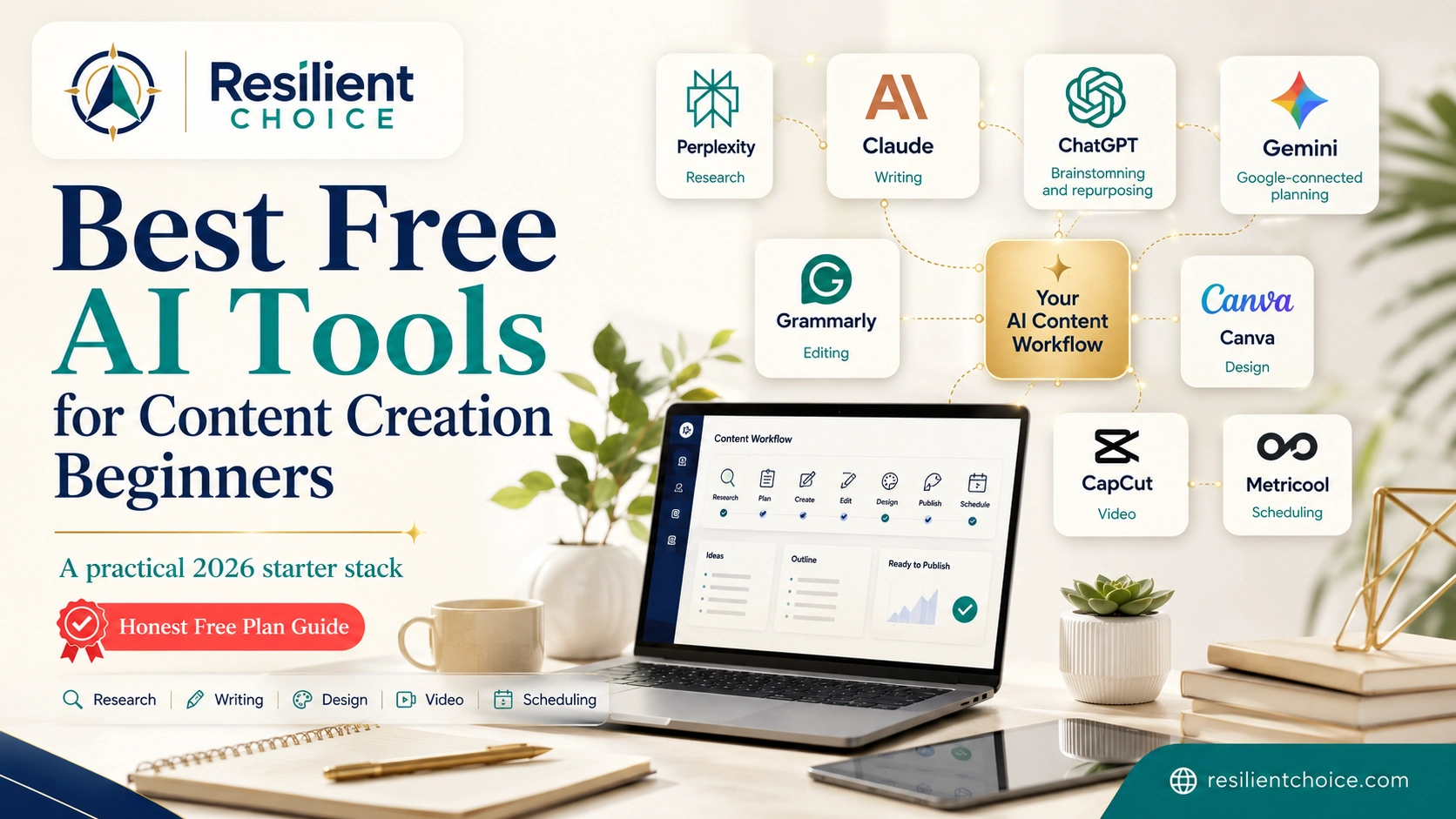
starter stack
The best free AI tools for content creation are not the tools with the longest feature lists. They are the tools that solve one clear job: finding reliable sources, shaping a useful draft, improving clarity, creating a visual, editing a video or producing audio—without slowing you down with tool overload.
This guide narrows the market to 12 practical tools. Each recommendation includes its best use, the main free-access limitation, who should choose it and a simple prompt or workflow you can use immediately.
Which free AI tools should a beginner start with?
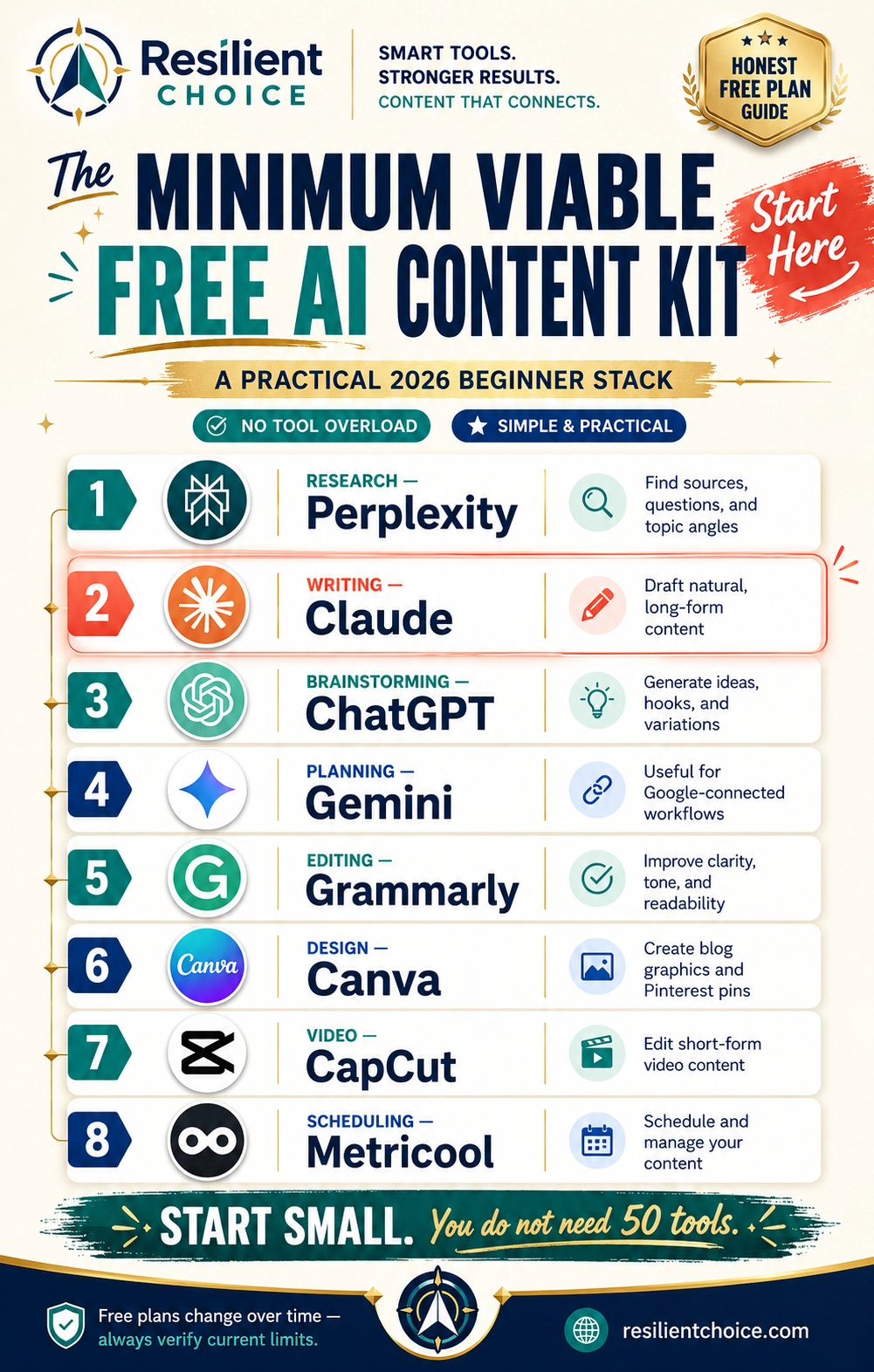
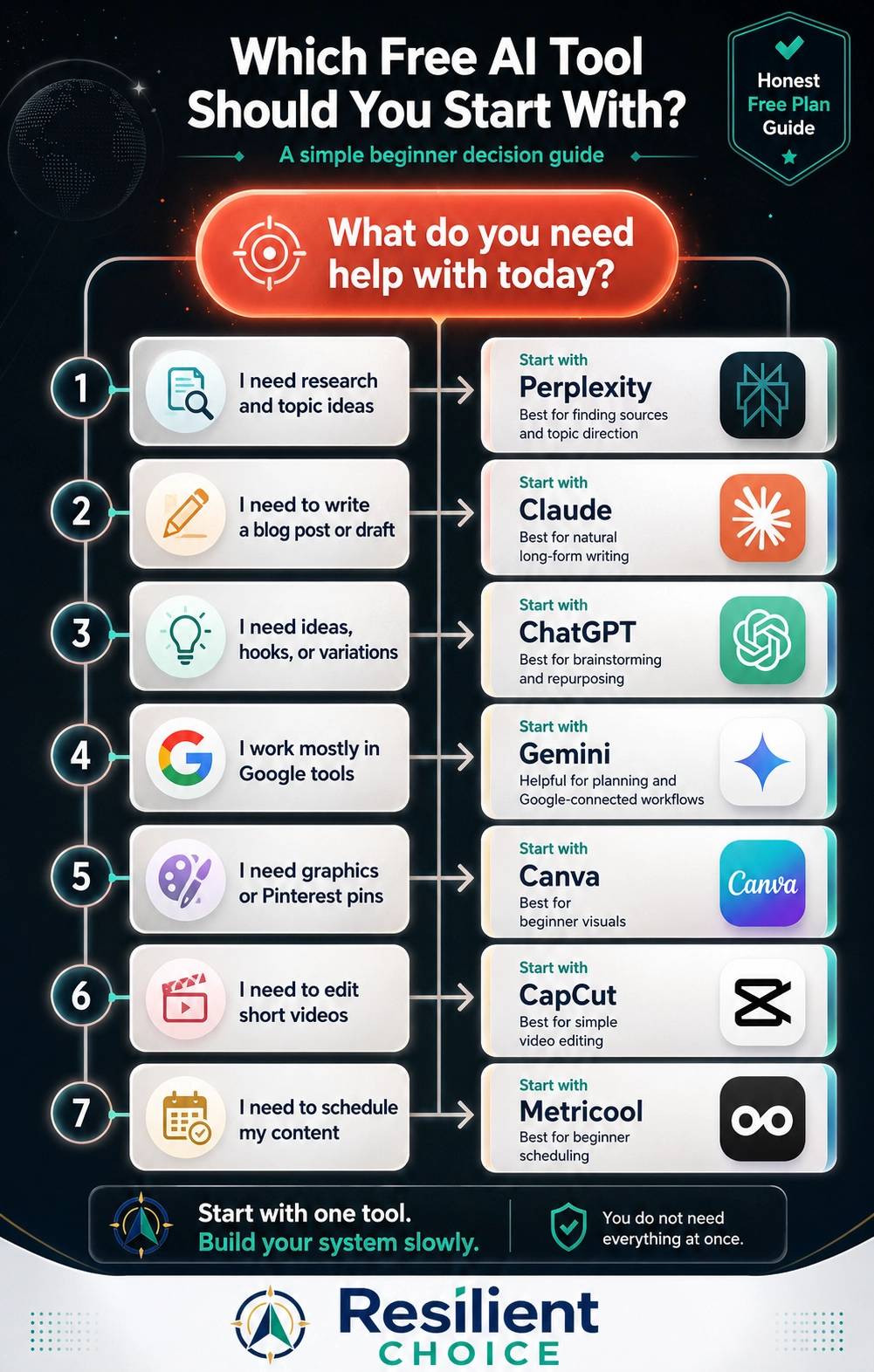
Start with four tools, not twelve: Perplexity for source discovery, ChatGPT or Claude for drafting and repurposing, Grammarly for final editing, and Canva for visuals. Add CapCut only when video becomes part of your publishing plan.
The complete list below helps you choose alternatives, but you do not need every tool at once.
12 Best Free AI Content Creation Tools Compared
| # | Tool | Best for | Free access | Main limitation |
|---|---|---|---|---|
| 1 | ChatGPT | Ideas, outlines, drafts and repurposing | Free tier available | Model and tool usage limits apply |
| 2 | Claude | Natural long-form writing and rewriting | Free plan available | Session-based usage limits |
| 3 | Gemini | Planning, summaries and Google-connected workflows | Standard access without a paid AI plan | Compute-based limits and feature availability vary |
| 4 | Perplexity | Research, source discovery and current questions | Standard free plan | Advanced searches and uploads are limited |
| 5 | NotebookLM | Working from your own sources and documents | Available with an eligible Google account | Output quality depends on source quality |
| 6 | Grammarly | Grammar, clarity and final editing | Free plan available | Advanced rewrites and controls require paid access |
| 7 | Canva | Pinterest pins, graphics, presentations and simple video | Free plan with limited AI access | Premium assets and higher AI usage require upgrades |
| 8 | Adobe Express | Fast branded graphics and social content | Free plan available | Generative credits and premium assets are limited |
| 9 | Microsoft Designer | Quick AI images, banners and layouts | Free use available for personal accounts | Frequent creation may require a subscription |
| 10 | CapCut | Short-form video, captions and mobile editing | Core editing available free | Pro effects, templates and assets are excluded |
| 11 | Descript | Transcript-based audio and video editing | Free plan available | Export and AI usage limits apply |
| 12 | ElevenLabs | AI voice testing and narration drafts | Free plan available | Commercial-use rights require careful plan review |
Best Free AI Tools for Research, Writing and Editing
ChatGPT — Best for Ideas, Outlines and Repurposing
ChatGPT is the most flexible starting point when you need content ideas, article outlines, headline variations, social captions, FAQs or multiple versions of the same message. It is especially useful after you already understand the topic.
Official reference: ChatGPT Free Tier FAQ
Claude — Best for Natural Long-Form Drafts
Claude is a strong choice for turning rough notes into structured, readable long-form content. It works well for educational blog sections, newsletters, scripts and rewrites where tone and flow matter more than producing many short variations.
Official reference: Claude plans
Gemini — Best for Planning and Google-Connected Work
Gemini is useful for brainstorming, summarising, planning and creating first drafts, particularly when your work already uses Google tools. Use it as a planning assistant and second opinion rather than assuming every generated answer is current or complete.
Official reference: Using Gemini Apps
Perplexity — Best for Sources and Topic Discovery
Perplexity is the strongest first step when you need current sources, competitor questions and multiple perspectives. Its value is not copying the final answer. Its value is quickly finding what should be opened, verified and understood.
Official reference: Perplexity plans
NotebookLM — Best for Source-Grounded Content Planning
NotebookLM is useful when you already have reports, PDFs, transcripts, notes or research documents. Instead of asking a general chatbot to invent context, you can work from a defined source collection and build summaries, questions and structured notes.
Official reference: Learn about NotebookLM
Grammarly — Best for Clarity and Polishing
Grammarly belongs at the end of the process. Use it after the research and ideas are correct. It can improve grammar, clarity and readability, but it cannot decide whether your article is original, accurate or genuinely useful.
Official reference: Grammarly plans
Best Free AI Tools for Images and Visual Content
Canva — Best for Pins, Graphics and Simple Video
Canva is the most practical visual workspace for non-designers who need Pinterest pins, featured images, social graphics, presentations, checklists and simple video. Its real strength is combining templates, manual editing and AI-assisted features in one place.
Official reference: Canva plans
Adobe Express — Best for Fast Social Graphics
Adobe Express is useful for quick social posts, flyers, short videos and simple branded content. It is a strong alternative when you prefer Adobe’s editing environment or want another template library without committing to a full Creative Cloud workflow.
Official reference: Adobe Express plans
Microsoft Designer — Best for Quick AI Images and Layouts
Microsoft Designer can create banners, image concepts and fast layout variations from written instructions. It works best for idea generation and simple personal graphics; important brand assets should still be checked and edited manually.
Official reference: Microsoft Designer FAQ
Best Free AI Tools for Video and Audio Content
CapCut — Best for Reels, Shorts and Captions
CapCut is a practical starting point for short videos, captions, text overlays, simple cuts and mobile-first editing. Before completing a long project, check whether the selected template, effect, font, transition or music track is marked as Pro.
Official reference: CapCut Standard vs Pro
Descript — Best for Editing Video and Audio Like Text
Descript is useful for podcasts, talking-head videos, screen recordings and spoken content because the transcript becomes part of the editing workflow. Test a short sample first so you understand the current export, watermark and AI limits before a major project.
Official reference: Descript plans
ElevenLabs — Best for Testing AI Narration
ElevenLabs is useful for experimenting with narration, pronunciation and voice-based content concepts. The main issue is not only generation quality—it is usage rights. Check the current plan and commercial licence before using generated audio in monetised videos, client work, advertising or paid products.
Official reference: ElevenLabs publishing policy
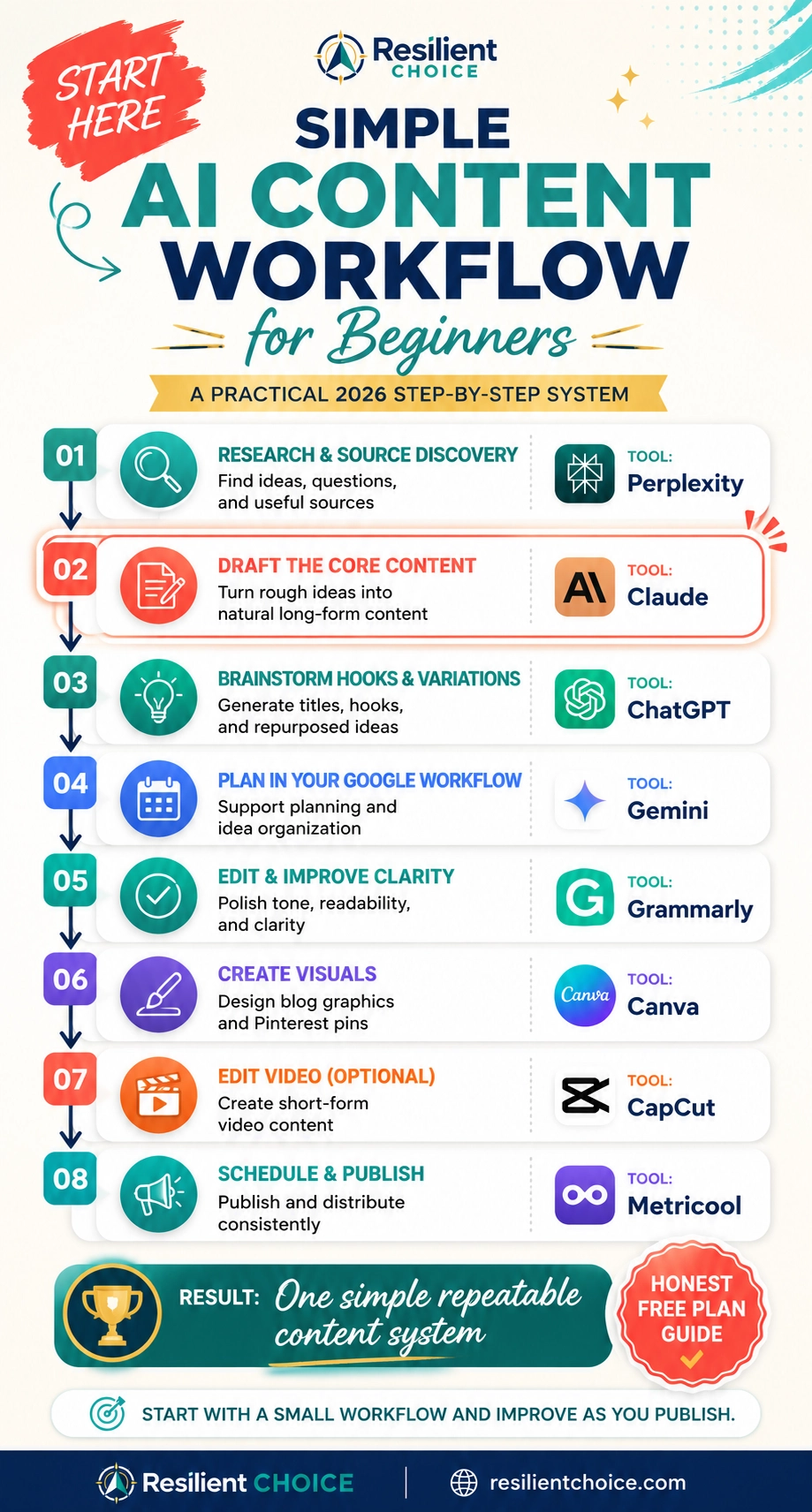
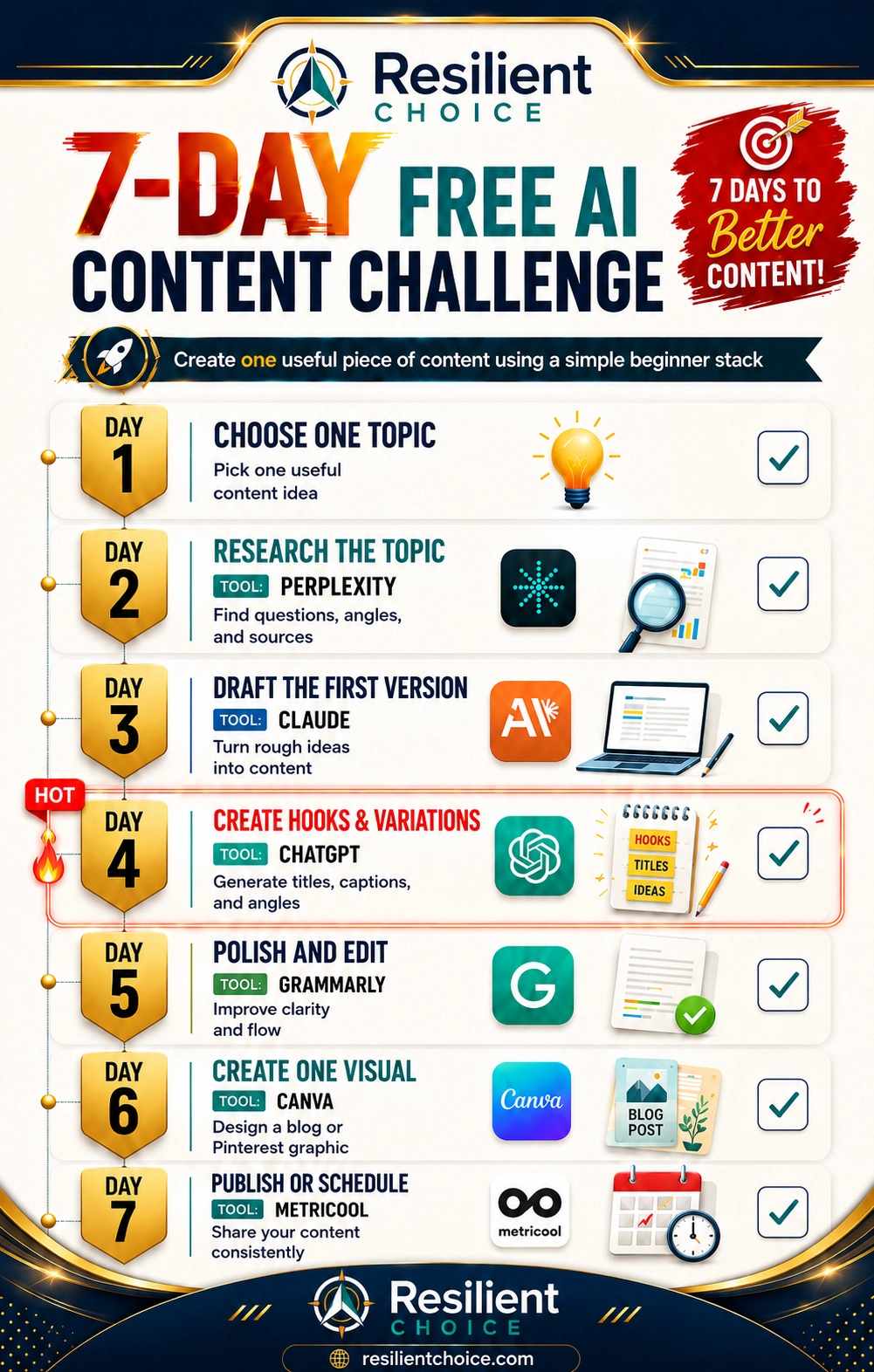
A Simple Free AI Content Creation Workflow
A comparison list helps you choose. A workflow helps you finish. Use the following sequence for one blog post, Pinterest campaign, email or educational video.
Five Mistakes That Make Free AI Tools Less Useful
What slows beginners down
- Signing up for every new AI app.
- Asking AI to write before completing research.
- Publishing facts without checking primary sources.
- Using AI-generated images without checking text and details.
- Upgrading before a tool supports a real revenue-producing task.
What works better
- Give each tool one clear responsibility.
- Use current sources before drafting.
- Add original examples, screenshots and decisions.
- Review every final visual and sentence manually.
- Measure output, traffic and conversion before paying.
Frequently Asked Questions
What are the best free AI tools for content creation?
A focused beginner stack is Perplexity for research, ChatGPT or Claude for writing, Grammarly for editing, Canva for visuals and CapCut for short-form video. The best choice depends on the content task, not overall popularity.
Which free AI tool is best for writing blog posts?
Claude is strong for natural long-form drafting, while ChatGPT is useful for outlines, variations and repurposing. Complete research first and manually verify the final article.
Which free AI tool is best for content research?
Perplexity is useful for finding current sources and questions. NotebookLM is better when you already have a defined collection of reports, PDFs or transcripts to analyse.
Can free AI tools create Pinterest pins?
Canva, Adobe Express and Microsoft Designer can help create Pinterest visuals. Use an exact searchable headline, strong mobile readability, original branding and manual quality control instead of publishing raw AI-generated layouts.
Can I use free AI-generated content commercially?
It depends on the tool, plan and asset. Always review the current commercial-use, licensing and attribution terms before using generated images, voices, music or templates in monetised content or client work.
Will Google penalise content created with AI?
Google focuses on helpful, reliable, people-first content. AI-assisted content still needs original value, factual verification, clear authorship and a useful experience. Mass-produced low-value content created mainly to manipulate rankings is a poor strategy.
How many AI tools should a beginner use?
Start with three or four: one research tool, one writing tool, one editing tool and one design tool. Add video or automation only when your publishing plan requires it.
When should I pay for an AI tool?
Upgrade when a specific free-plan limit repeatedly blocks a valuable task, such as client delivery, commercial licensing, production volume, team collaboration or measurable revenue. Do not upgrade only because the paid dashboard looks more advanced.
Final Recommendation: Use Fewer Tools and Publish More
The best free AI tools for content creation are the tools that shorten a defined task without replacing your judgment. Start with Perplexity, ChatGPT or Claude, Grammarly and Canva. Publish one complete piece of content, measure the result and only then add another tool.
- Research before writing.
- Use one primary writing assistant.
- Add original examples and evidence.
- Check every fact, image and licence.
- Measure clicks and conversions—not the number of AI accounts you own.